Free and open source under AGPLv3

A native database client for your Mac.

SchemaStudio is fast and built with SwiftUI and AppKit. No Electron, no JDBC, no JavaScript runtime. It starts in under a second and idles around 80 MB.

Requires macOS 14 or later. Apple Silicon and Intel.

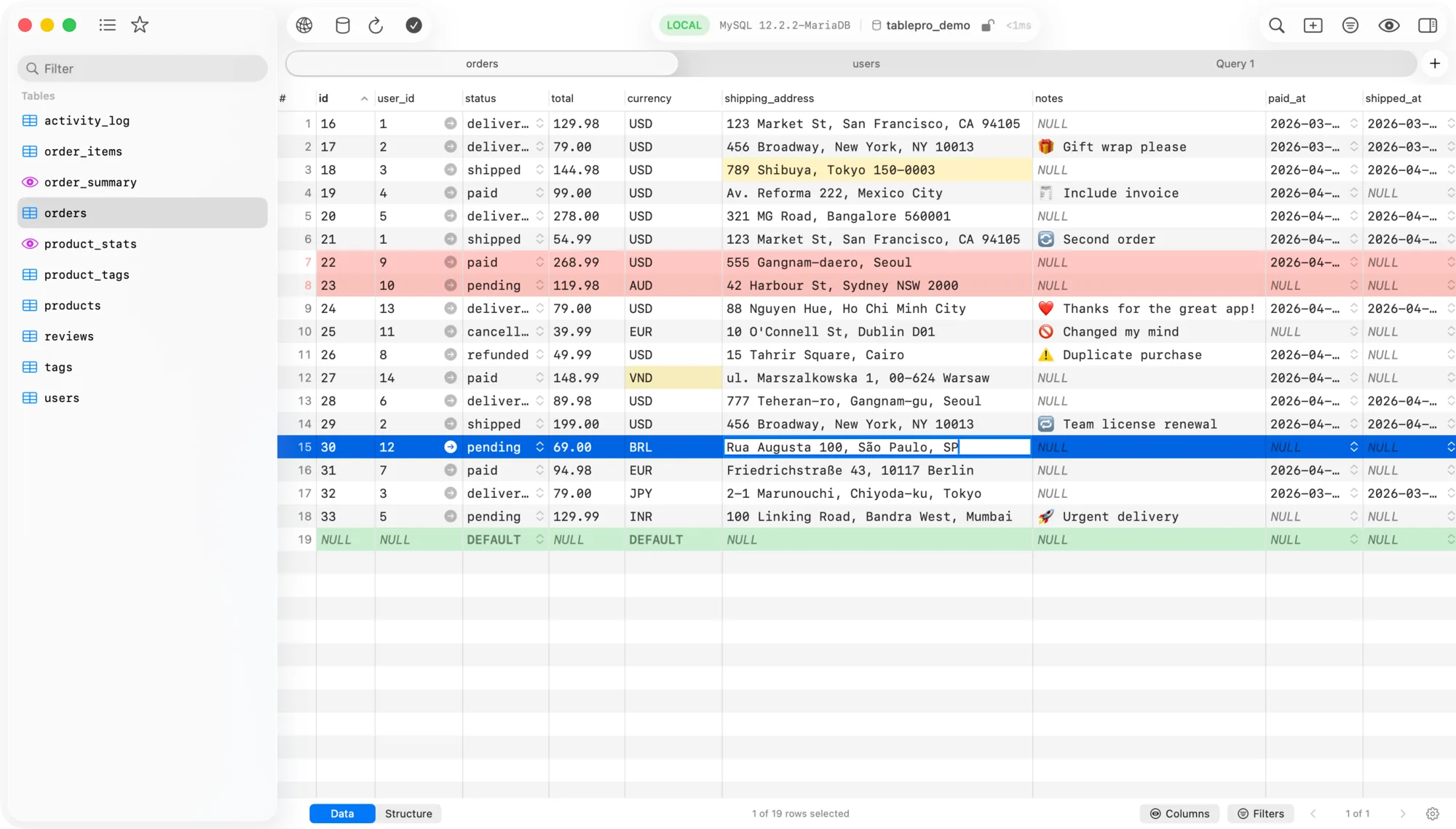
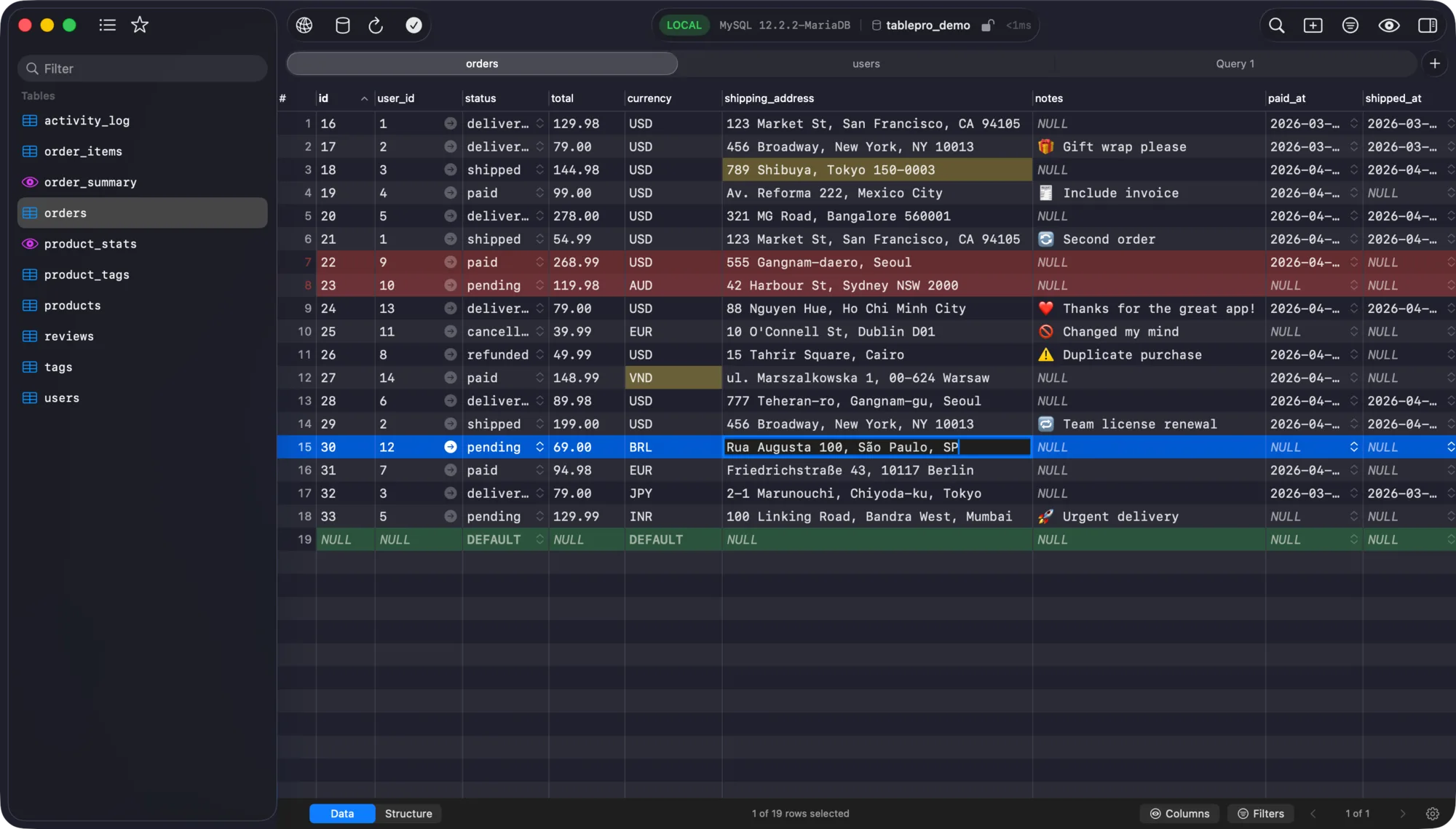
SchemaStudio showing a table of orders in the data grid, with the table list in the sidebar and tabs along the top. SchemaStudio in dark mode showing a table of orders in the data grid, with the table list in the sidebar and tabs along the top.
  • < 1 s
    cold start
  • ~80 MB
    idle memory
  • ~20 MB
    download
  • 25
    databases

Why native

Native, multi-database and open source. Pick all three.

Mac database clients usually give up one of those. SchemaStudio is built to keep all three.

Comparison of database client categories
Kind of client Native Many databases Open source
Single-engine toolsGreat if you live in one database Yes No Some
Closed-source native clientsPolished, but proprietary Yes Yes No
JVM and Electron clientsCross-platform, slower to start and heavier on memory No Yes Yes
SchemaStudioThe missing fourth Yes Yes Yes

Features

Built for daily database work.

From the first query to a production privilege change, the tools you reach for are in the same window.

ER diagram

See how your tables connect.

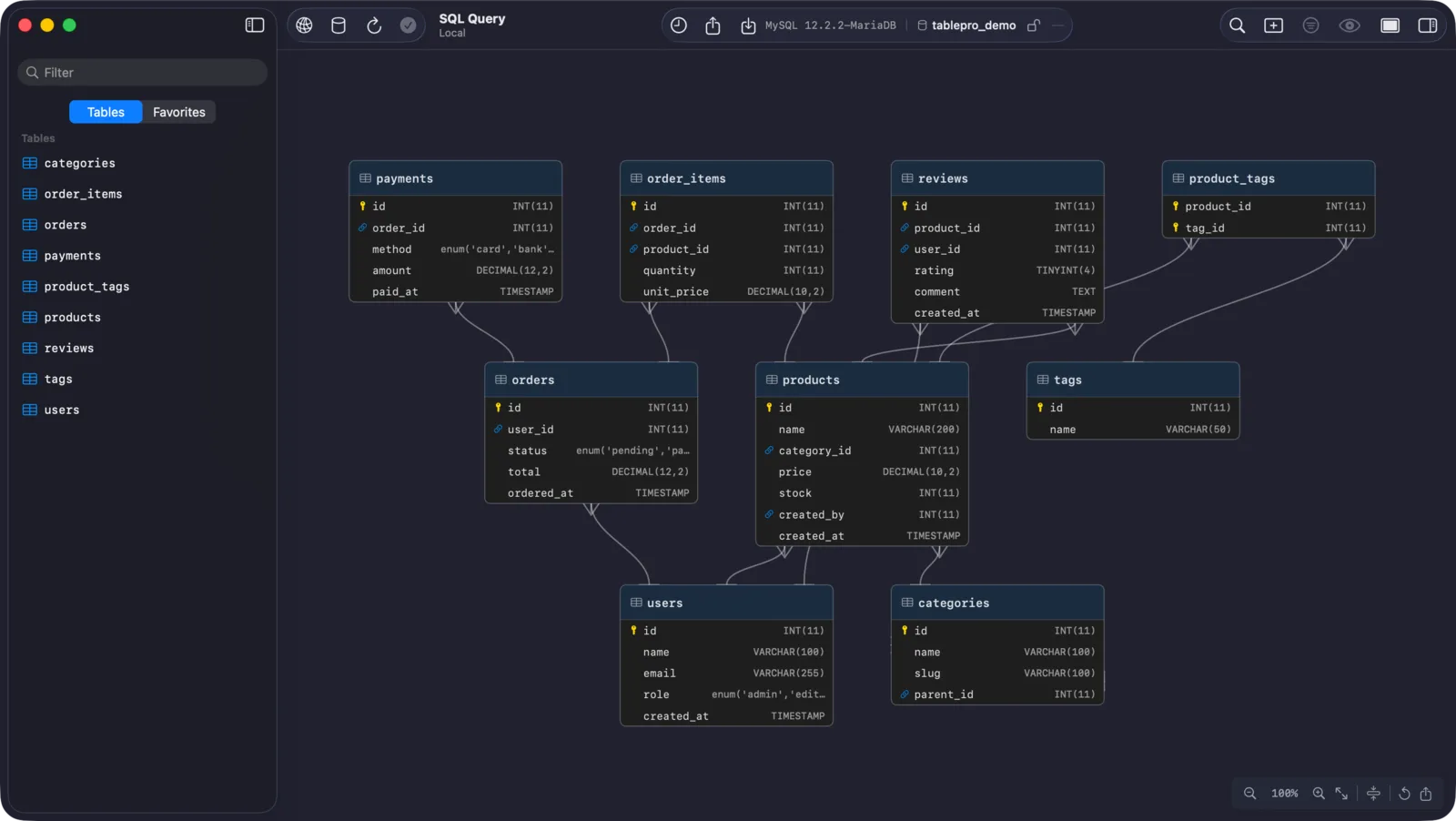
Right-click a table and choose View ER Diagram. SchemaStudio lays out every table and foreign key in the schema for you.

  • Tables that share foreign keys are grouped together and share a header color.
  • The layout fills the canvas instead of stacking into one tall column.
  • Honors the macOS Differentiate Without Color setting.
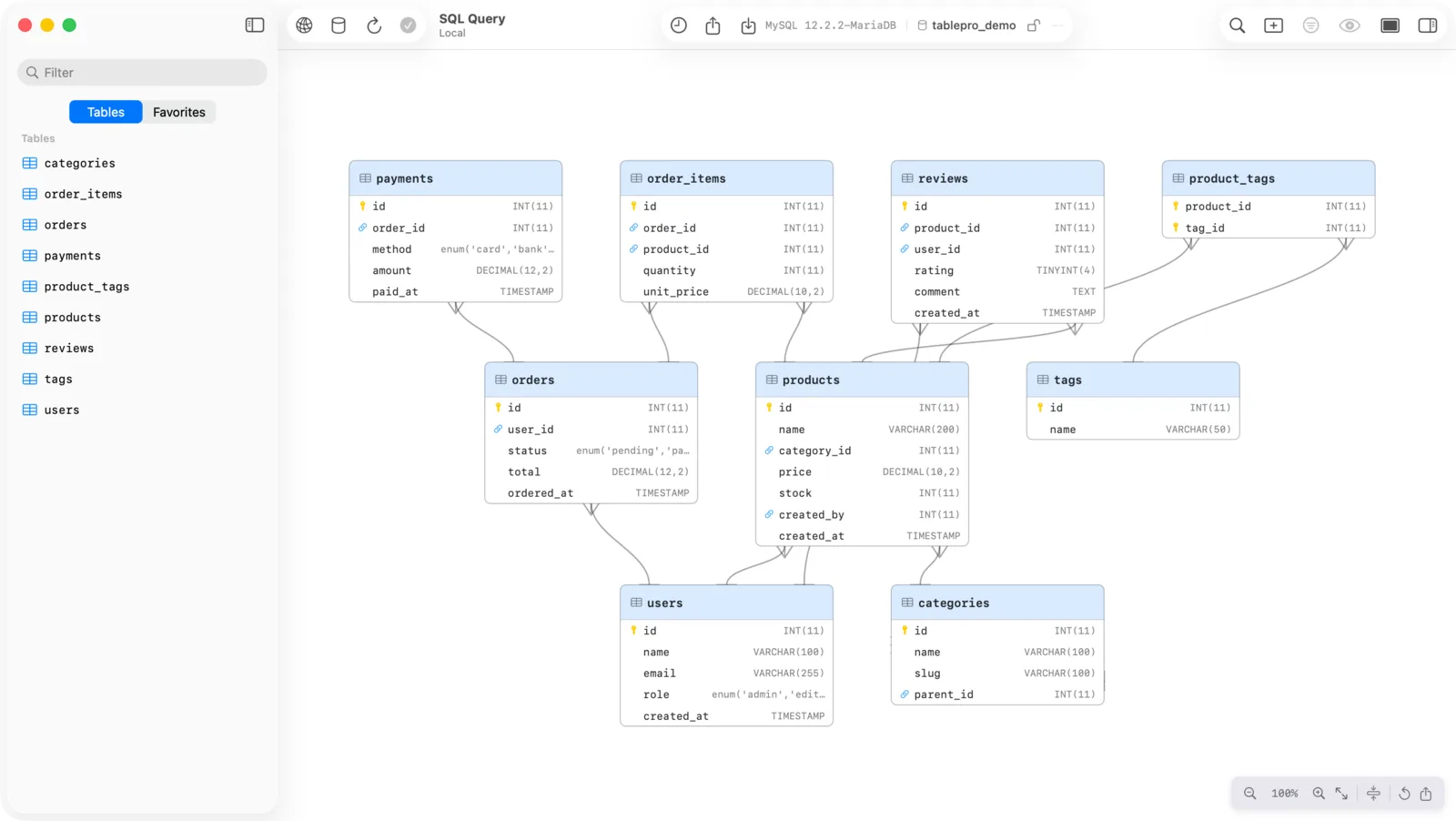
Entity-relationship diagram of an e-commerce schema with tables for orders, users, products and payments joined by foreign keys. Dark mode entity-relationship diagram of an e-commerce schema with tables for orders, users, products and payments joined by foreign keys.

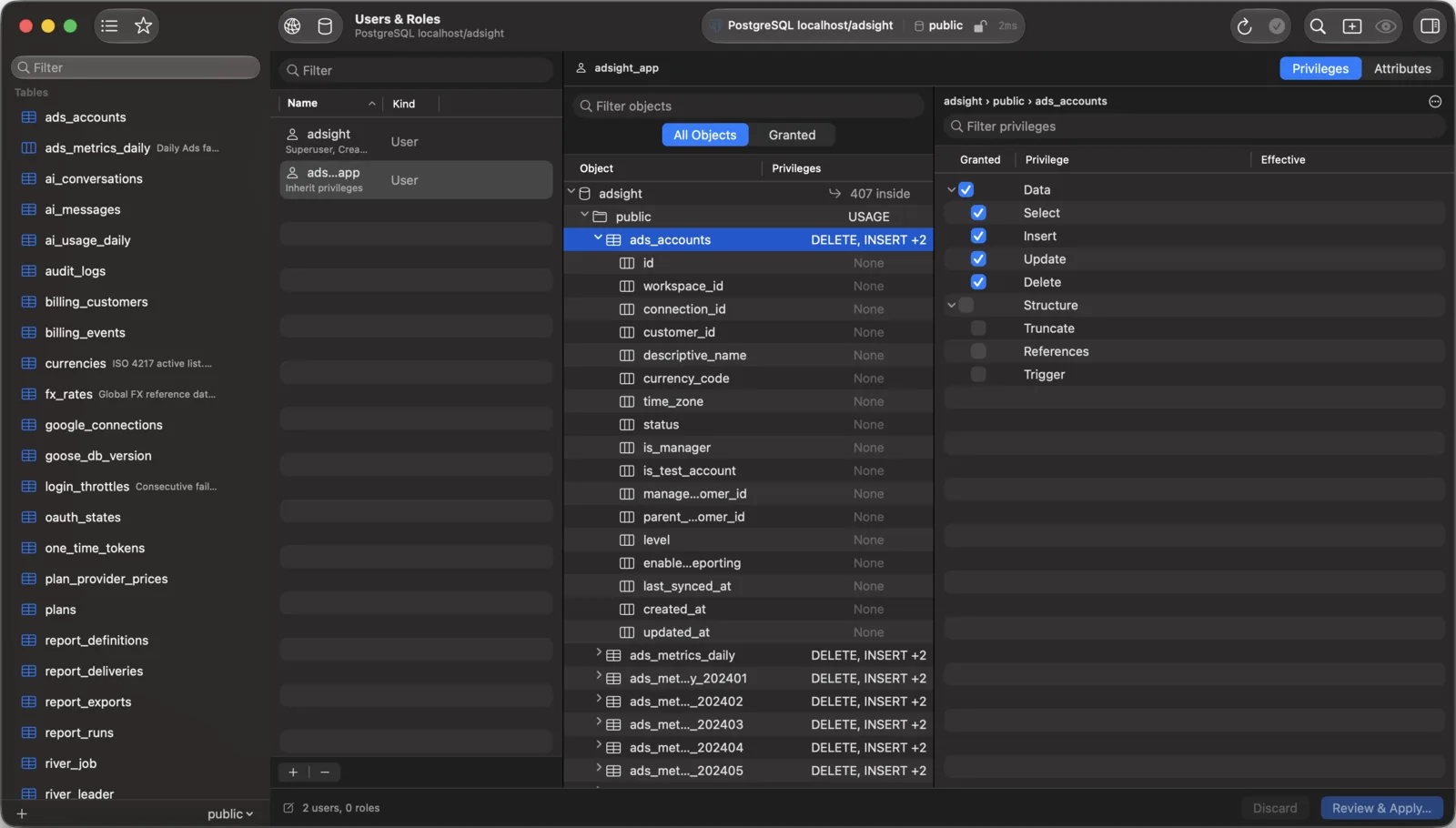
Users & Roles

Change privileges without hand-writing GRANT.

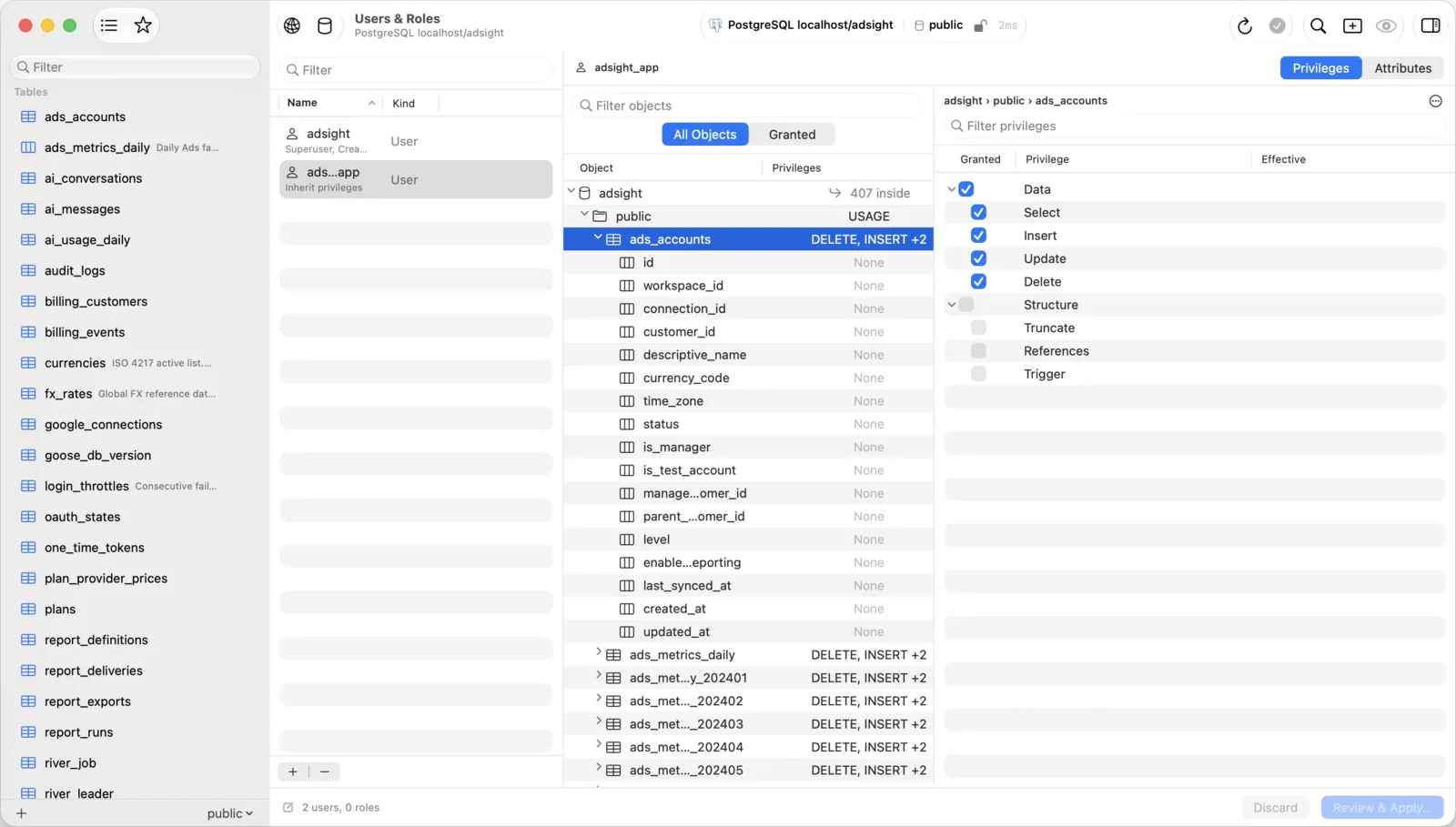
Manage accounts, roles and the privileges they hold on MySQL, MariaDB, PostgreSQL and PGlite.

  • Changes are staged. Nothing reaches the server until you review the SQL and apply it.
  • Staged changes can be undone before you apply them.
  • The Privileges column shows what an account holds on each object without clicking through.
Users and Roles tab with an account list on the left, an object tree in the middle and a privilege checklist on the right. Dark mode Users and Roles tab with an account list on the left, an object tree in the middle and a privilege checklist on the right.

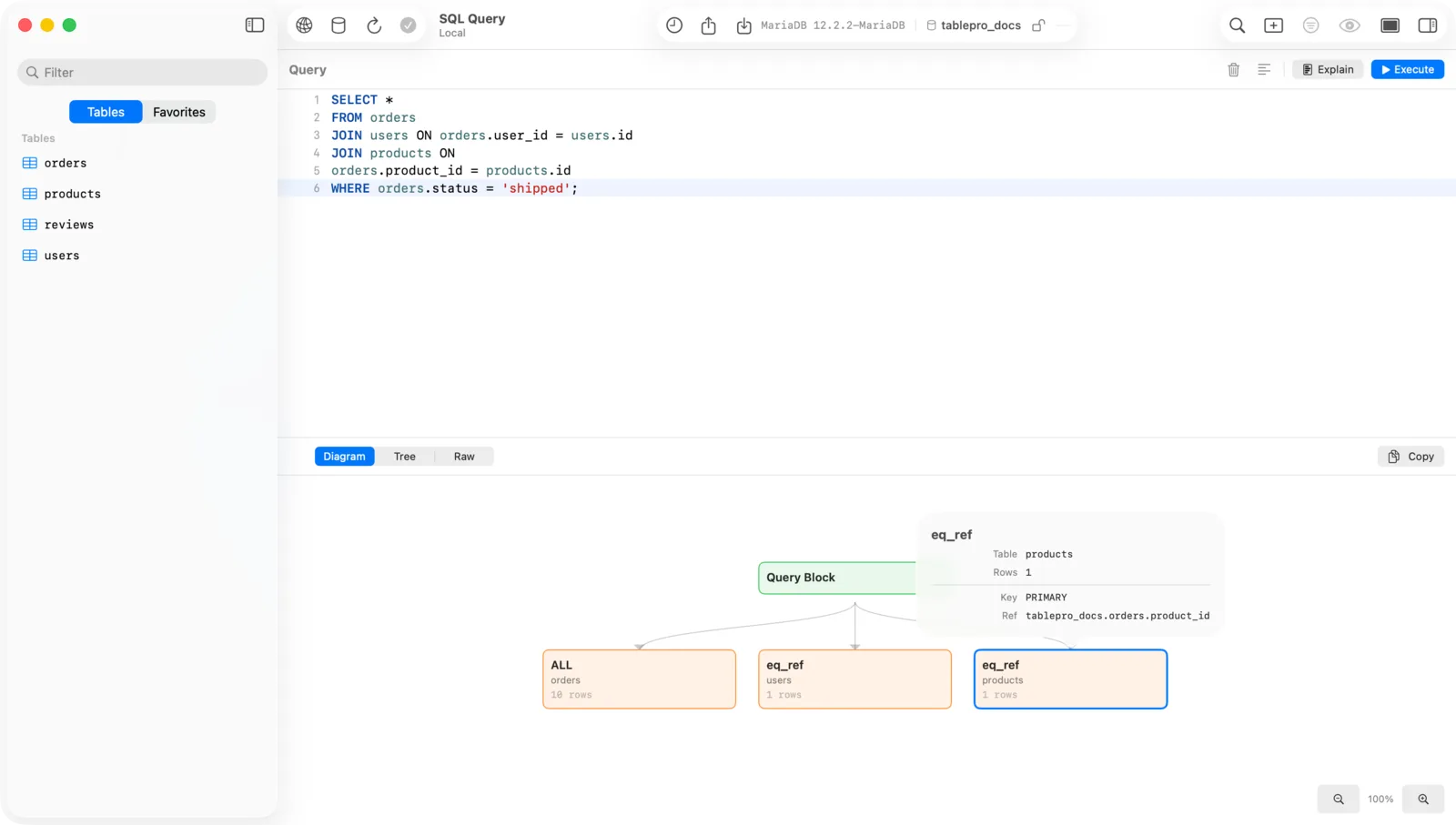
EXPLAIN

Read query plans as a diagram.

Click Explain in the editor toolbar, or press ⌘ ⌥ E, and get the plan as a diagram, a tree or raw output.

  • EXPLAIN and EXPLAIN ANALYZE on PostgreSQL.
  • EXPLAIN and EXPLAIN (JSON) on MySQL and MariaDB.
  • Run an EXPLAIN you typed yourself and it opens in the same viewer.
Query plan shown as a diagram, with a query block connected to table access nodes. Dark mode query plan shown as a diagram, with a query block connected to table access nodes.
  • SQL editor

    Schema-aware autocomplete, multi-cursor, Vim mode, syntax themes and multi-statement execution.

  • Data grid

    Inline editing, sorting and filtering. Edits are tracked, with undo and redo, until you save.

  • Native tabs and windows

    Real macOS window tabs, multiple windows and split panes. It behaves like the rest of your Mac.

  • Query history

    Every query is kept and searchable with full-text search, so you can find that one join from last week.

  • Import and export

    CSV, JSON, SQL, XLSX and MQL, with streaming export for large datasets.

  • CSV inspector

    Open .csv and .tsv files directly, edit cells, rows and columns, and save in the original dialect.

  • Plugin system

    Nine databases ship in the app. Sixteen more install on demand, and you can write your own driver in Swift.

  • Themes and color labels

    Light, dark and custom editor themes. Give each connection a color so you never run a query on the wrong server.

Data tools

Move it, fill it, keep it in sync.

Three wizards for the jobs that usually need a script: copying tables between servers, seeding a database with valid test data, and comparing two databases.

Available

Data Transfer

Copy tables, indexes and foreign keys from one connection to another without going through a file.

  1. Source and target
  2. Tables
  3. Mode and options
  • Streams large tables in bounded chunks, so memory stays flat.
  • Native bulk load: COPY on PostgreSQL, LOAD DATA on MySQL.
  • Resume an interrupted run from a journal kept on the target.
  • Up to three tables at once, and parallel reads inside big tables.
  • A report compares the real row count on both sides.

Between connections of the same database type. Open it from Tools > Data Transfer…

Available

Data Generation

Fill tables with test data generated from their own schema, with types, keys and constraints respected.

  1. Scope
  2. Columns
  3. Options
  • Picks a generator per column from its constraints, name and type.
  • More than 70 generators for people, addresses, contacts, business and text, in English and Vietnamese.
  • Preview the exact rows first. The same seed writes the same rows.
  • Emails, phone numbers and hosts use reserved ranges, so none can reach a real person.
  • Save profiles, start from an e-commerce or CRM template, and resume a stopped run.

Open it from Tools > Generate Data… or right-click a database in the sidebar.

Planned

Data Synchronization

Compare the data in two live databases, review the differences row by row, and bring the target in line with the source.

  1. Map
  2. Compare
  3. Script
  4. Run
  • Pick changes by row or by table, and review the SQL before it runs.
  • Starts with MySQL to MySQL and PostgreSQL to PostgreSQL.
  • Deletes are off by default, and writes respect each connection's Safe Mode.
  • Save a profile and run it on a schedule while the app is open.

Not in the app yet. Scope may change before it ships.

Databases

25 databases, one native app.

Nine drivers are built into the app. The rest install on demand from the plugin registry.

Built in

Ships with the app

  • MySQL
  • MariaDB
  • PostgreSQL
  • SQLite
  • Amazon Redshift
  • CockroachDB
  • PGlite
  • ClickHouse
  • Redis

Plugins

Install on demand

  • Microsoft SQL Server
  • MongoDB
  • Oracle Database
  • DuckDB
  • Beancount
  • Cassandra / ScyllaDB
  • etcd
  • Cloudflare D1
  • DynamoDB
  • BigQuery
  • Snowflake
  • Teradata
  • libSQL / Turso
  • Elasticsearch
  • SurrealDB
  • Trino

AI & MCP

Bring your own AI. Keep your credentials.

Use the assistant inside the app, or let your coding tools query your databases through SchemaStudio.

AI assistant

Chat about your schema, get inline suggestions while you type, and run Explain and Optimize on a query. You choose the provider and bring your own API key.

  • GitHub Copilot
  • Claude
  • OpenAI
  • Gemini
  • xAI
  • Ollama
  • llama.cpp
  • MLX
  • 13 providers, including local models through Ollama, llama.cpp and MLX.

MCP server

A built-in Model Context Protocol server lets AI clients query your databases through your saved connections, without ever seeing your passwords.

  • Claude Desktop
  • Claude Code
  • Cursor
  • Zed
  • Raycast
  • Token authentication is on by default.
  • Row limit of 500 by default and a 30 second query timeout.
  • Access policies are set per connection.

Security

Connect safely. Write carefully.

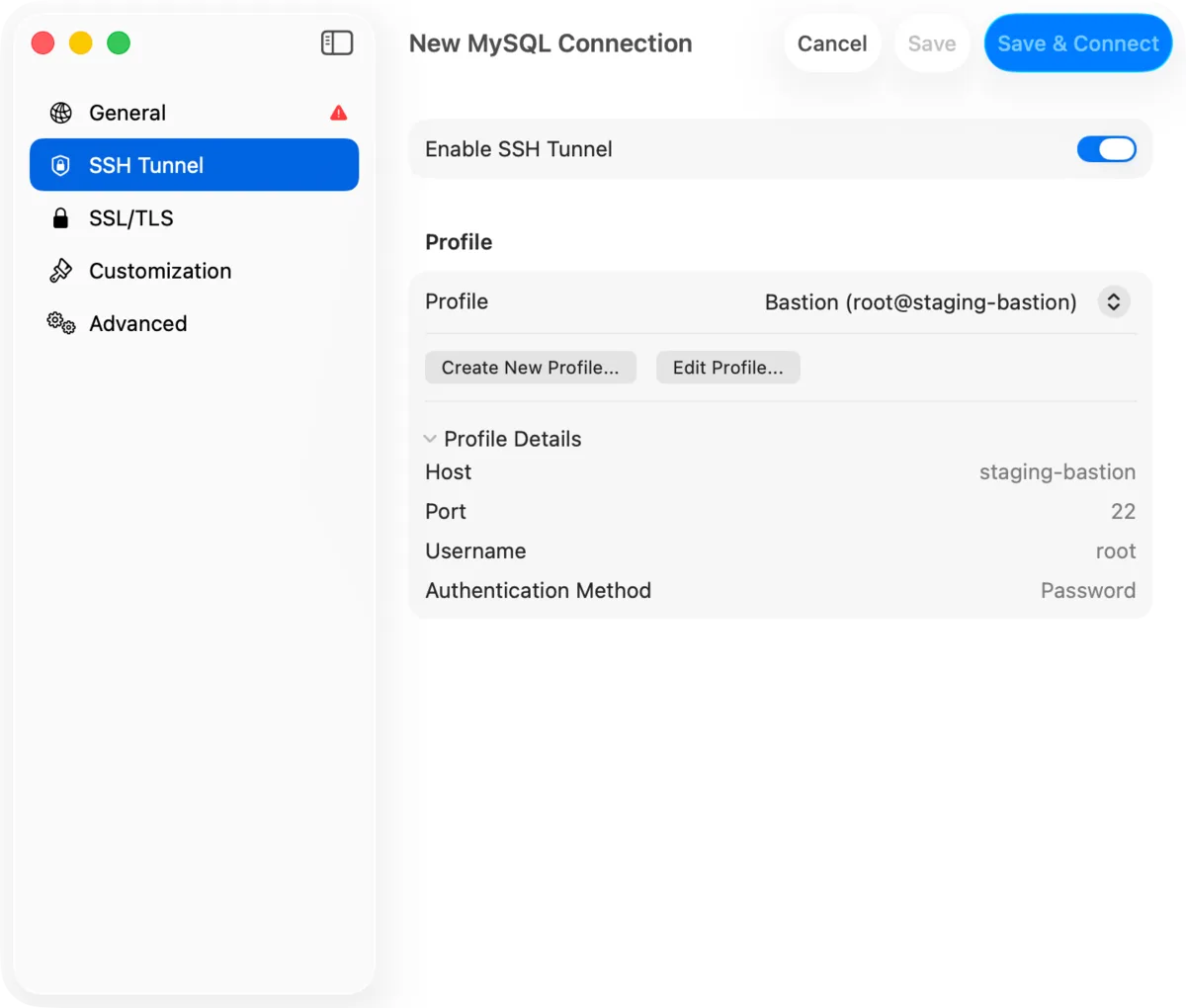
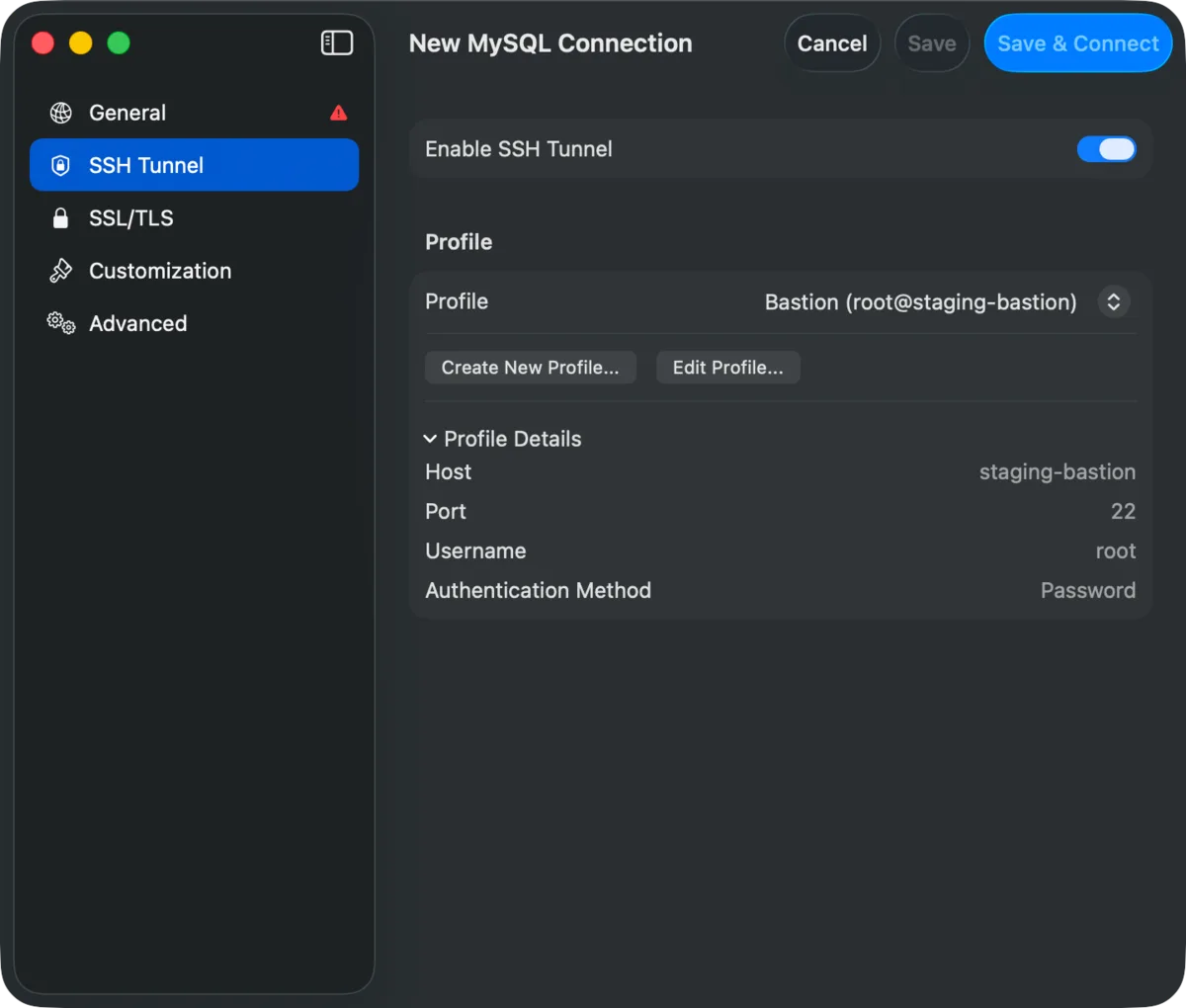
  • SSH tunnels with a password, a private key, an SSH agent or keyboard-interactive login. SSL/TLS for direct connections.
  • Passwords stay in the Keychain, or resolve at connect time from a file, an environment variable, a command, 1Password, HashiCorp Vault or AWS Secrets Manager.
  • Safe Mode sets a protection level for each connection, from no prompts to read-only.
SilentRuns everything. Still warns on DROP, TRUNCATE and DELETE without WHERE.
AlertConfirms before write queries.
Alert (Full)Confirms before every query.
Safe ModeConfirmation and Touch ID for writes.
Safe Mode (Full)Confirmation and Touch ID for every query.
Read-OnlyBlocks write queries entirely.
New MySQL connection form on the SSH Tunnel tab, with a saved bastion profile selected. Dark mode new MySQL connection form on the SSH Tunnel tab, with a saved bastion profile selected.

Platforms

Start on the Mac.

  • Stable

    macOS 14+

    Apple Silicon and Intel. The full app.

  • Stable

    iOS and iPadOS 18+

    Take your connections with you.

  • In development

    Linux

    Work has started. Not available yet.

Install

Up and running in a minute.

  1. Download the DMGGrab the latest release from GitHub. It is about 20 MB.
  2. Drag SchemaStudio to ApplicationsNo Java, .NET or other runtime to install.
  3. Add a connectionPick your database, enter the details, and open your first table.

SchemaStudio for macOS

Free and open source. No account and no license key.

Download from GitHub
macOS 14 Sonoma or later Apple Silicon and Intel AGPLv3